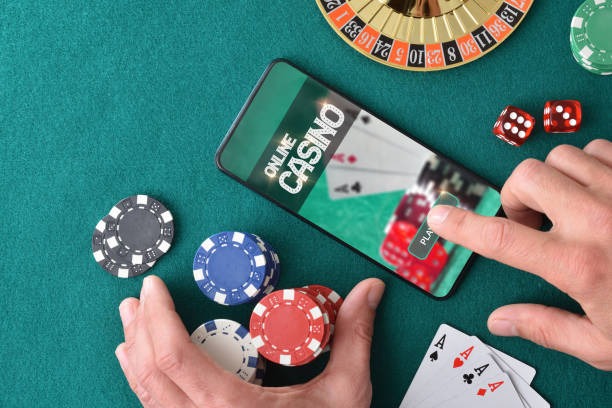
How to access mcd99 on your device
We offer three main paths to reach mcd99: Android APK download, iOS browser access, and our responsive web app. Each has its own strengths depending on your device and preference.
Installation walkthrough
- Download the mcd99 APK file from our official link or access our web app directly in your browser.
- On Android, enable "Unknown Sources" in Settings → Security, then tap the APK file to install; on iOS, simply open our web app in Safari or Chrome.
- Create your mcd99 account by entering your email, phone number, and setting a password; upload your identity document for KYC verification.
- Add your first payment method (DANA, e-wallet, mobile banking, local payment, online payment, e-wallet, or a bank transfer via mobile banking, local payment, online payment, or e-wallet) and make your initial deposit.

App versus browser: what's the difference
Our mcd99 Android APK offers offline caching, so you can browse your account history and game library even without an active internet connection. Push notifications alert you to tournament schedules, payment confirmations, and account updates in real time. The app also loads faster on slower 3G or 4G networks because it stores assets locally. However, the web app works on any device—Android, iOS, Windows, or Mac—without installation, and updates automatically whenever you refresh. Choose the APK if you want the fastest experience and notifications; choose the web app if you value simplicity and cross-device access.
Device requirements and compatibility
Our mcd99 platform runs on Android 7.0 and above, and iOS 12.0 and above. Most phones sold in the last five years meet these requirements. If your device is older, the web app may still work in your browser, though performance may be slower. We recommend at least 100 MB of free storage for the Android APK and a stable internet connection (3G or better) for smooth gameplay and live-dealer streaming.
Troubleshooting common installation problems
If your Android device blocks the APK installation, check that "Unknown Sources" is enabled in Settings → Security or Apps. Some devices also require you to trust the certificate; if prompted, tap "Install anyway." On iOS, if our web app does not load, clear your browser cache (Settings → Safari → Clear History and Website Data) and try again. If you see a certificate warning, it may be a network issue—try switching from WiFi to mobile data or vice versa. Our support team can help if these steps do not resolve the problem; contact us during business hours with your device model and the exact error message.

Data, permissions, and account security
When you install the mcd99 app or access our web app, we request permission to store files (for offline cache), access your device's unique identifier, and send notifications. We use these permissions only to improve your experience—we do not share your data with third parties. Your account credentials are encrypted in transit and at rest. We recommend using a strong, unique password and enabling two-factor authentication if available. If you suspect unauthorized access, contact our support team immediately; we can help you reset your password and review your account activity. Do not share your login details with anyone, and log out after each session on shared devices.
Key takeaways
- Download the mcd99 APK on Android or use our web app on any device
- Enable "Unknown Sources" on Android before installing the APK
- Complete KYC verification and add a payment method (online payment, e-wallet, mobile banking, local payment, online payment, e-wallet, or bank transfer) to start
- The app offers offline cache and push notifications; the web app works on any device without installation
- Contact our support team during business hours if you encounter installation or account issues